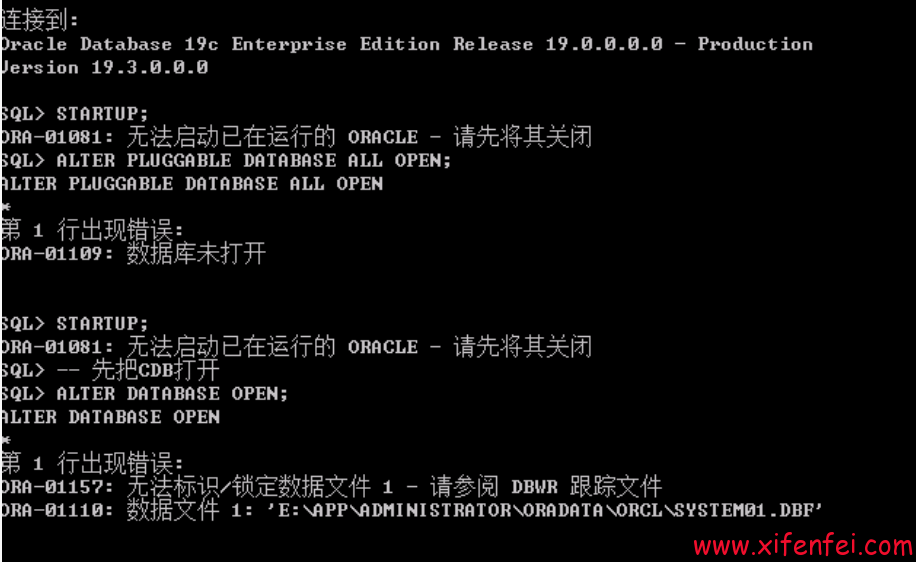
由于存储异常导致数据库启动报ORA-1172错误

尝试recover datafile 1 报ORA-600 kdBlkCheckError错误
Wed Jan 07 14:31:17 2026
Decreasing number of real time LMS from 5 to 0
ALTER DATABASE RECOVER  datafile 1
Wed Jan 07 14:31:21 2026
Media Recovery Start
Wed Jan 07 14:31:21 2026
Serial Media Recovery started
Wed Jan 07 14:31:21 2026
Recovery of Online Redo Log: Thread 2 Group 24 Seq 2584 Reading mem 0
  Mem# 0: +DATA/CDBDG/ONLINELOG/group_24.393.1122613933
  Mem# 1: +ARCH/CDBDG/ONLINELOG/group_24.276.1122613933
Wed Jan 07 14:31:21 2026
Recovery of Online Redo Log: Thread 1 Group 18 Seq 13823 Reading mem 0
  Mem# 0: +DATA/CDBDG/ONLINELOG/group_18.387.1122613923
  Mem# 1: +ARCH/CDBDG/ONLINELOG/group_18.270.1122613925
Wed Jan 07 14:31:22 2026
Recovery of Online Redo Log: Thread 1 Group 19 Seq 13824 Reading mem 0
  Mem# 0: +DATA/CDBDG/ONLINELOG/group_19.388.1122613925
  Mem# 1: +ARCH/CDBDG/ONLINELOG/group_19.271.1122613925
Errors in file /u01/app/oracle/diag/rdbms/cdbdg/cdb1/trace/cdb1_ora_2753010.trc (incident=806358) (PDBNAME=CDB$ROOT):
ORA-00600: internal error code, arguments: [kdBlkCheckError], [1], [105538], [6401], [], [], [], [], [], [], [], []
Incident details in: /u01/app/oracle/diag/rdbms/cdbdg/cdb1/incident/incdir_806358/cdb1_ora_2753010_i806358.trc
Use ADRCI or Support Workbench to package the incident.
See Note 411.1 at My Oracle Support for error and packaging details.
Wed Jan 07 14:31:25 2026
Media Recovery failed with error 10562
ORA-283 signalled during: ALTER DATABASE RECOVER  datafile 1  ...
通过dbv检查file 1(system)数据文件,发现大量坏块
bash-4.2$ dbv file=system.271.1122584815

DBVERIFY: Release 12.1.0.2.0 - Production on Wed Jan 7 20:15:26 2026

Copyright (c) 1982, 2014, Oracle and/or its affiliates.  All rights reserved.

DBVERIFY - Verification starting : FILE = /data/bak/system.271.1122584815

DBV-00200: Block, DBA 4195214, already marked corrupt

DBV-00200: Block, DBA 4210332, already marked corrupt

DBV-00200: Block, DBA 4210333, already marked corrupt
……………………
DBV-00200: Block, DBA 4312889, already marked corrupt

DBV-00200: Block, DBA 4313119, already marked corrupt

DBV-00200: Block, DBA 4313122, already marked corrupt


DBVERIFY - Verification complete

Total Pages Examined         : 524288
Total Pages Processed (Data) : 79989
Total Pages Failing   (Data) : 0
Total Pages Processed (Index): 20781
Total Pages Failing   (Index): 0
Total Pages Processed (Other): 408840
Total Pages Processed (Seg)  : 1
Total Pages Failing   (Seg)  : 0
Total Pages Empty            : 14678
Total Pages Marked Corrupt   : 33
Total Pages Influx           : 0
Total Pages Encrypted        : 0
Highest block SCN            : 3135037281 (4374.3135037281)
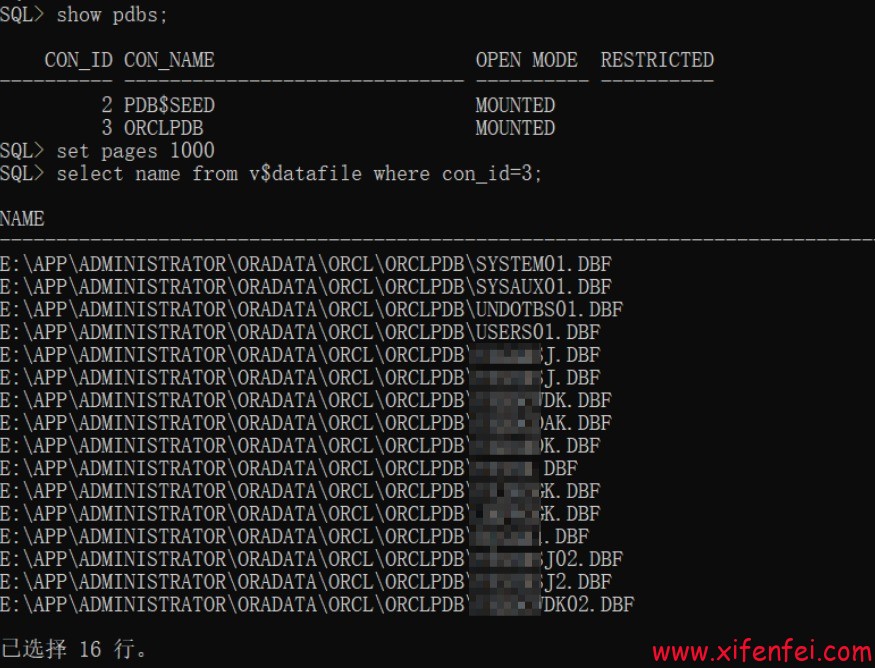
分析发现这个库是包含了多个pdb,客户的业务主要在con_id=3的pdb中
bash-4.2$ sqlplus / as sysdba

SQL*Plus: Release 12.1.0.2.0 Production on Wed Jan 7 20:27:42 2026

Copyright (c) 1982, 2014, Oracle.  All rights reserved.


Connected to:
Oracle Database 12c Enterprise Edition Release 12.1.0.2.0 - 64bit Production
With the Partitioning, Real Application Clusters, Automatic Storage Management, OLAP,
Advanced Analytics and Real Application Testing options

SQL> show pdbs;

    CON_ID CON_NAME                       OPEN MODE  RESTRICTED
---------- ------------------------------ ---------- ----------
         2 PDB$SEED                       MOUNTED
         3 XFF                            MOUNTED
         4 DYCW                           MOUNTED
SQL>
尝试对除cdb的system/sysaux之外的文件进行recover操作均成功

对于这种情况,比较好的处理思路就是通过对单独的pdb文件使用DBMS_PDB.RECOVER处理,然后插入到一个新的cdb中,第一步使用dbca创建一个和当前库字符集一样的cdb
dbca -silent -ignorePreReqs -createDatabase -templateName $ORACLE_HOME/assistants/dbca/templates/General_Purpose.dbc \
-responseFile NO_VALUE \
-gdbname oratest  -sid oratest \
-createAsContainerDatabase TRUE \
-sysPassword oracle -systemPassword oracle -pdbAdminPassword oracle -dbsnmpPassword oracle \
-datafileDestination '/data/oradata' \
-redoLogFileSize 200 \
-characterset ZHS16GBK -nationalCharacterSet AL16UTF16 \
-totalMemory 4096 \
-databaseType MULTIPURPOSE \
-emConfiguration NONE
然后利用老的pdb生成需要的xml文件
BEGIN
DBMS_PDB.RECOVER(PDB_DESCR_FILE=> '/tmp/XFF.xml', PDB_NAME=>'XFF',
FILENAMES=> '/data/bak/system.268.1122584817,
/data/bak/system.441.1125224053,
/data/bak/sysaux.269.1122584817,
…………
/data/bak/odin.312.1122593153,
/data/bak/dsg.314.1122593223');
END;
/
利用该xml文件,直接把这个pdb插入到新cdb中
Wed Jan 07 14:40:52 2026
create pluggable database XFF using '/tmp/XFF.xml' nocopy
Wed Jan 07 14:41:29 2026
Session (221,18860): EXTERNAL SCN ALERT: Advanced SCN by 3185580 minutes worth to 0x1116.bade672c,
    by Pluggable Database plug-in
Session (221,18860): EXTERNAL SCN SOURCE: Inbound connection from client
Session (221,18860): EXTERNAL SCN SOURCE: DB Logon User: SYS, Remote Machine: p770a,
  Program: sqlplus@p770a (TNS V1-V3),OS User: oracle
****************************************************************
Pluggable Database XFF with pdb id - 3 is created as UNUSABLE.
If any errors are encountered before the pdb is marked as NEW,
then the pdb must be dropped
****************************************************************
Database Characterset for XFF is ZHS16GBK
Deleting old file#8 from file$
Deleting old file#9 from file$
Deleting old file#10 from file$
…………
Deleting old file#148 from file$
Deleting old file#199 from file$
Deleting old file#200 from file$
Adding new file#9 to file$(old file#8)
Adding new file#8 to file$(old file#145)
Adding new file#10 to file$(old file#9)
…………
Adding new file#19 to file$(old file#148)
Adding new file#18 to file$(old file#199)
Adding new file#17 to file$(old file#200)
Marking tablespace #2 invalid since it is not present   in the describe file
Successfully created internal service XFF at open
ALTER SYSTEM: Flushing buffer cache inst=0 container=3 local
Wed Jan 07 14:41:49 2026
****************************************************************
Post plug operations are now complete.
Pluggable database XFF with pdb id - 3 is now marked as NEW.
****************************************************************
Completed: create pluggable database XFF using '/tmp/XFF.xml' nocopy
alter database open
Wed Jan 07 14:43:21 2026
Pluggable database XFF dictionary check beginning
Tablespace 'TEMP' #2 found in data dictionary,
but not in the controlfile. Adding to controlfile.
Pluggable Database XFF Dictionary check complete
Database Characterset for XFF is ZHS16GBK
*********************************************************************
WARNING: The following temporary tablespaces in container(XFF)
         contain no files.
         This condition can occur when a backup controlfile has
         been restored.  It may be necessary to add files to these
         tablespaces.  That can be done using the SQL statement:

         ALTER TABLESPACE <tablespace_name> ADD TEMPFILE

         Alternatively, if these temporary tablespaces are no longer
         needed, then they can be dropped.
           Empty temporary tablespace: TEMP
*********************************************************************
***************************************************************
WARNING: Pluggable Database XFF with pdb id - 3 is
         altered with errors or warnings. Please look into
         PDB_PLUG_IN_VIOLATIONS view for more details.
***************************************************************
Opening pdb XFF (3) with no Resource Manager plan active
Pluggable database XFF opened read write
Completed: alter database open
alter tablespace temp add tempfile '/data/bak/temp01.dbf' size 16m autoextend on
Completed: alter tablespace temp add tempfile '/data/bak/temp01.dbf' size 16m autoextend on
ALTER PLUGGABLE DATABASE CLOSE IMMEDIATE
Wed Jan 07 14:46:08 2026
Immediate Kill Session#: 366, Serial#: 2995
Immediate Kill Session: sess: 7000100bafb5f58  OS pid: 5637924
ALTER SYSTEM: Flushing buffer cache inst=0 container=3 local
Wed Jan 07 14:46:22 2026
Pluggable database XFF closed
Completed: ALTER PLUGGABLE DATABASE CLOSE IMMEDIATE
alter database open
Wed Jan 07 14:46:48 2026
Database Characterset for XFF is ZHS16GBK
***************************************************************
WARNING: Pluggable Database XFF with pdb id - 3 is
         altered with errors or warnings. Please look into
         PDB_PLUG_IN_VIOLATIONS view for more details.
***************************************************************
Opening pdb XFF (3) with no Resource Manager plan active
Pluggable database XFF opened read write
Completed: alter database open

这次4T多的aix环境rac数据库的单个pdb通过DBMS_PDB.RECOVER方法非常完美的恢复,DBMS_PDB.RECOVER是拯救单个pdb的神兵利器.